Notes from building NotchStar.
What worked, what broke, and the numbers, written plainly.
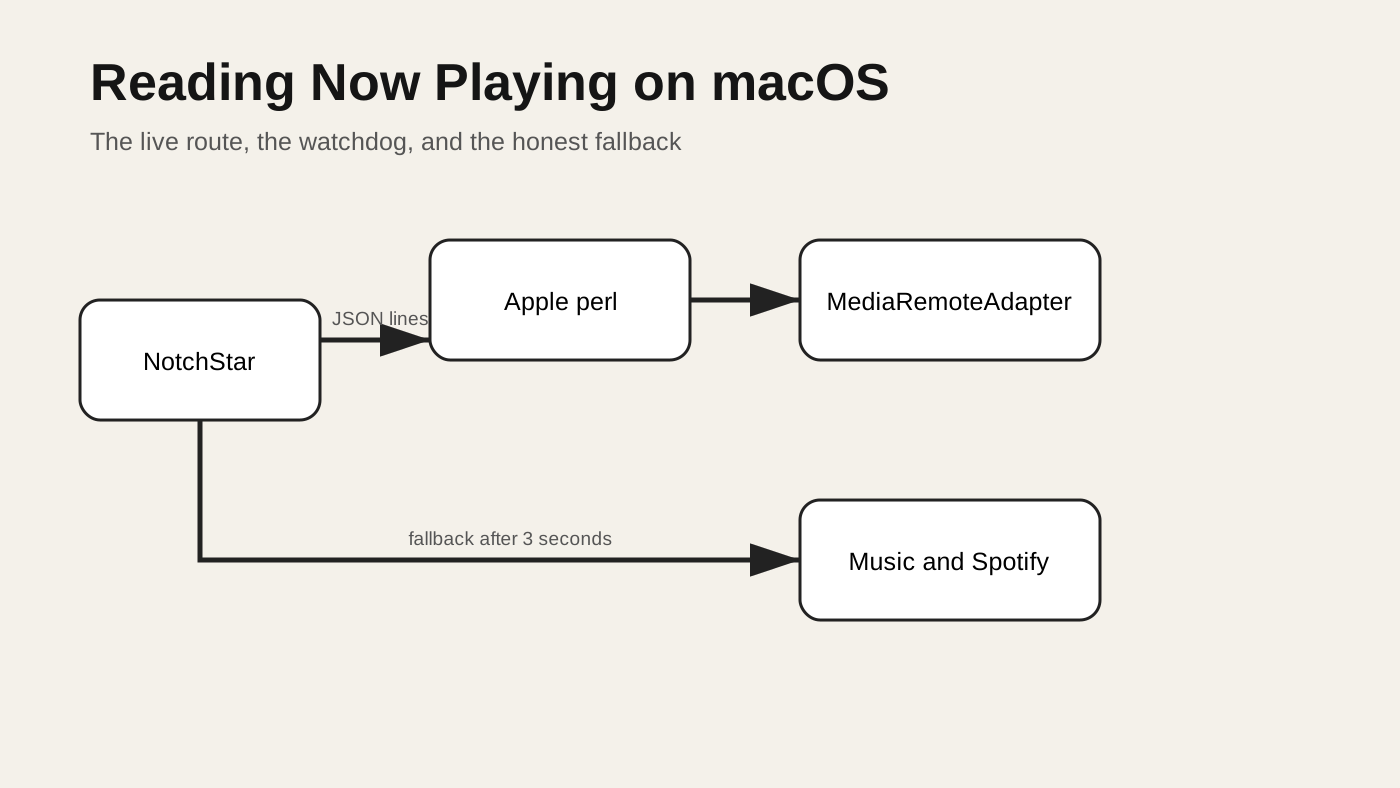
How a notch app reads Now Playing on macOS 15.4 and later
A source backed look at reading macOS Now Playing data through MediaRemoteAdapter, with lifecycle, fallback, artwork and failure handling.
1 November 2026 · 11 min read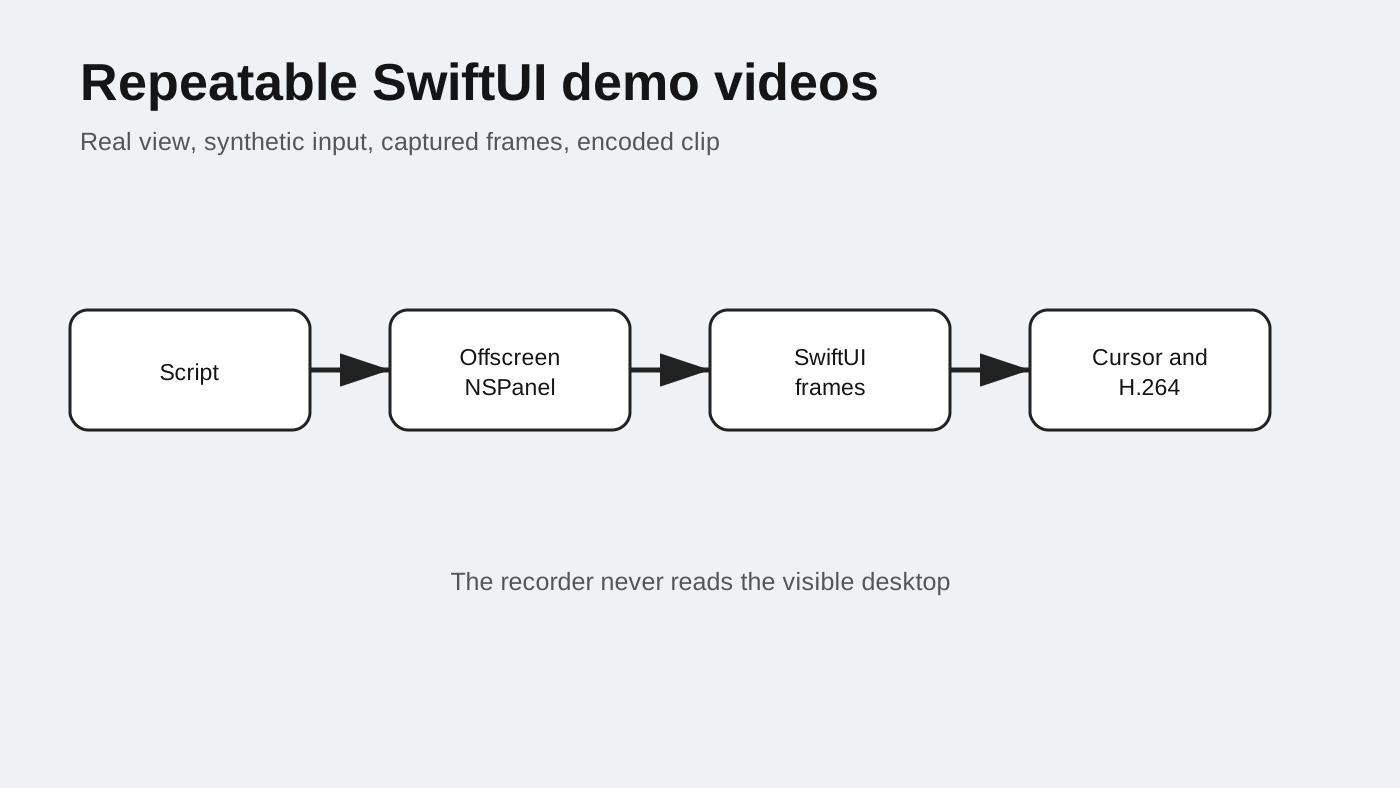
I recorded my app's demo videos without Screen Recording
How NotchStar records repeatable SwiftUI demo clips from an offscreen NSPanel, with synthetic events, safe data and measured failure lessons.
1 November 2026 · 12 min read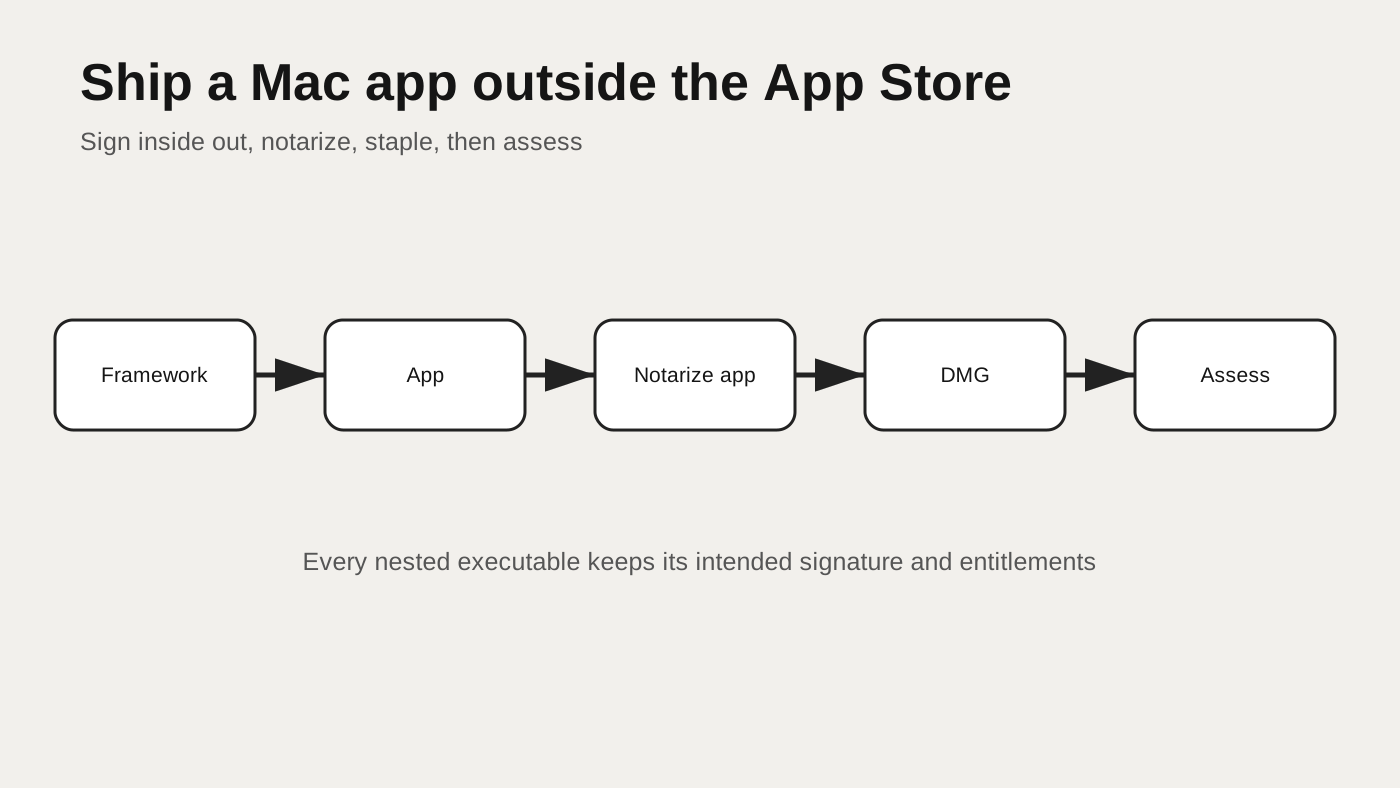
Shipping an indie Mac app: signing and notarization
A verified Developer ID release path for an indie Mac app, covering inside out signing, hardened runtime, notarization, stapling and checks.
1 November 2026 · 12 min read
The complete guide to the Mac notch: 25 ways to use it
What the Mac notch is good for, and 25 everyday jobs it handles, from parking a file to timing a focus session. Prices as of 7 October 2026.
14 October 2026 · 11 min read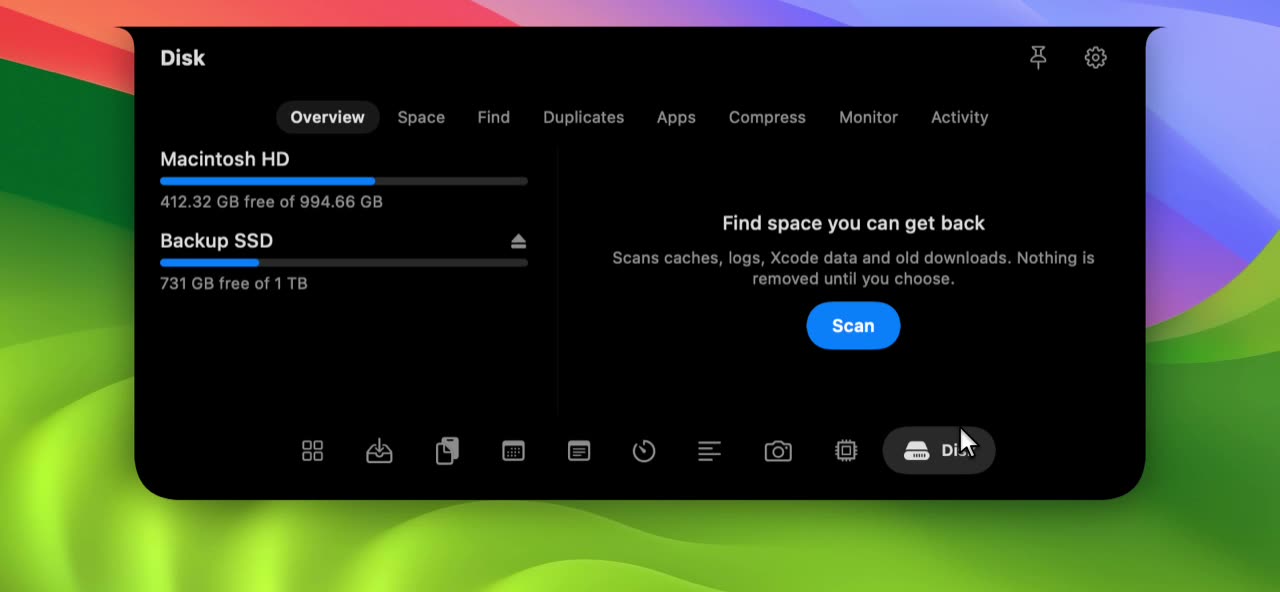
How to find what is filling your Mac, and free space safely
Find what fills your Mac with Finder and Terminal, learn which folders are safe to clear, and what to leave alone. Commands tested, with a 20 minute routine.
8 October 2026 · 14 min read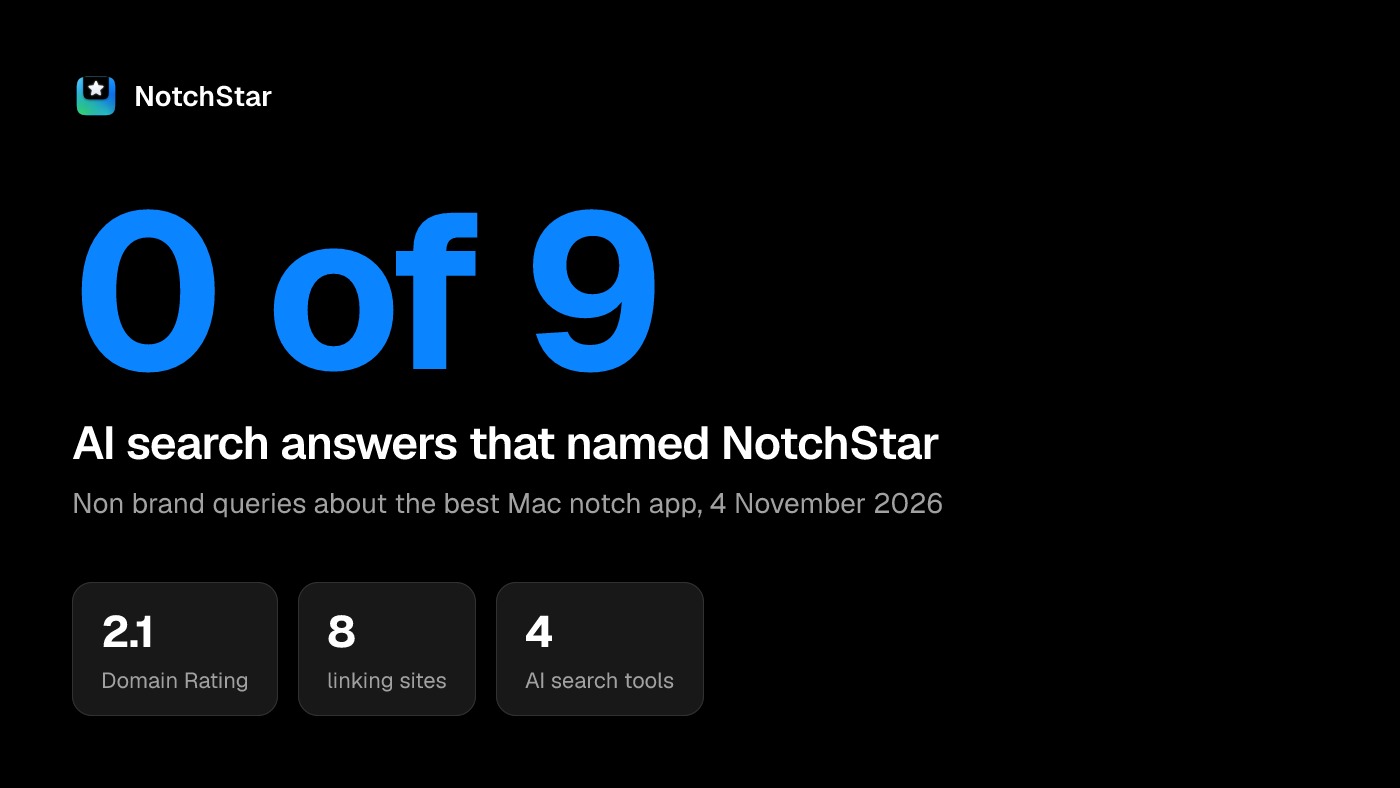
Four AI search tools, nine questions, and one Mac app that was not named
NotchStar was named in 0 of 9 AI answers about Mac notch apps. The method, the data on Domain Rating and sources, what changed, and a repeatable audit.
4 November 2026 · 16 min read
A panel above the menu bar: NSPanel, window levels and when it may take focus
How a Mac notch app builds a floating NSPanel: window level, nonactivating style, a key window only when typing is needed, and the bugs that shaped it.
4 November 2026 · 10 min read
Hover intent: opening a notch panel after 80 ms without flicker
SwiftUI onHover fires false exits when a view resizes under a still pointer. How a Mac notch app uses an 80 ms delay and a pointer check to stop the bounce.
4 November 2026 · 9 min read
codesign --deep stripped the entitlements, and why the camera would fail only after notarization
codesign --force --deep replaced a Mac app's entitlements with none. A four step test on a tiny bundle shows it, and how to check an app before notarizing.
4 November 2026 · 9 min read
Camera, Calendar, Reminders and Apple Events: the four permissions a notch app asks for
The four macOS permissions a notch app asks for: camera, Calendar, Reminders and Apple Events. Plist keys, prompt timing and denied states, from real code.
4 November 2026 · 9 min read
NSImage(contentsOfFile:) blocked for 327 seconds: reading a wallpaper while Spotlight indexes
NSImage(contentsOfFile:) blocked for 327 seconds on a 500 KB wallpaper while Spotlight indexed. The ImageIO fix, a fresh measurement, and what remains unproven.
4 November 2026 · 9 min read
A Swift Task that never ran: RunLoop.run, the main actor and Task.sleep
A Swift Task never ran while a script pumped RunLoop.run. What the main actor does, the async fix with Task.sleep, and a repro that did not fail.
4 November 2026 · 9 min read
ProgressView did not redraw offscreen: drawing your own thin bar in SwiftUI
A SwiftUI ProgressView stopped redrawing in offscreen captures. The ThinBar and Spinner that replaced it, a pixel check of both, and what is still open.
4 November 2026 · 9 min read
An empty accessibility tree offscreen: registering control frames instead
A scripted recorder could not find SwiftUI buttons by label in an offscreen window. A frame registry fixed it, and an in process check of the tree shows why.
4 November 2026 · 9 min read
Clipboard history without a daemon: NSPasteboard changeCount and concealed types
How a Mac clipboard history polls NSPasteboard changeCount, picks files over text over images, skips concealed types, and avoids recording its own writes.
4 November 2026 · 9 min read
Finding new screenshots, and the macOS 27 custom folder bug
How a Mac app finds new screenshots: a file system watcher, a poll, the capture tag, and the macOS 27 key that broke custom folders.
4 November 2026 · 9 min read
A license client with no Keychain: a 0600 file, weekly revalidation and a soft wall
A small macOS license client in Swift: a 0600 JSON file, a weekly silent check that offline never fails, and a trial wall that never touches user data.
4 November 2026 · 11 min read
Dodo Payments license API gotchas: 201 not 200, and the live host
Using Dodo Payments license keys from a macOS app: the public endpoints, 201 on activate, the live host the docs omit, 422 limit errors and how to map them.
4 November 2026 · 10 min read
Vercel rewrites to an external host returned the site's own 404 with trailingSlash
A Vercel rewrite to an external host returned the site's own 404 when trailingSlash was true. The symptom, the explicit fix, curl checks and open questions.
4 November 2026 · 10 min read
Sensitive Vercel environment variables cannot be pulled back
Vercel sensitive (now Secret) environment variables are write only. What that meant when a key was needed from another project, and where to keep real secrets.
4 November 2026 · 7 min read
Why a disk tool should only ever move to the Trash
How a Swift disk cleaner stays safe: no delete calls, a path gate, a Trash only rule, tests for the refusals, and an honest list of what the gate misses.
4 November 2026 · 10 min read
A ports view built on lsof: listeners, working directories and a two press Stop
Find which process listens on a port on macOS with lsof, map it to a project folder, and stop it safely. Real Swift parsing code, output and limits.
4 November 2026 · 11 min read
A shadow test that sampled an icon: testing flat design with pixels in Swift
Test a SwiftUI shadow with pixels: render a view into NSBitmapImageRep, sample luminance, and avoid sampling an icon. Real Swift code from a Mac app.
4 November 2026 · 10 min read
XcodeGen for a one person Mac app: project.yml, tests and a reproducible build
Install XcodeGen, write a project.yml for a Mac app with tests and an embedded framework, and generate Info.plist and entitlements. A real 122 line spec.
4 November 2026 · 10 min read
A universal DMG in a shell script: lipo, hdiutil, notarytool and stapling
Build a universal Mac app, create a DMG with hdiutil, notarize with notarytool, staple, and verify with spctl. A real release.sh with checks and its limits.
4 November 2026 · 11 min read
Measuring what a menu bar app costs while idle: a method, with numbers
How to measure a Mac menu bar app's idle CPU, memory and wake ups with ps, top and footprint, with real numbers from three runs and why one window misleads.
4 November 2026 · 12 min read
How a one person Mac app handles email
Who sends what for NotchStar: license emails from Dodo Payments, a support inbox on its own domain, the DNS records behind it, and what is still weak.
10 November 2026 · 8 min readPractical Mac guides.
Step by step help for files, screenshots, music and everyday work. Available in French and Belgian Dutch.
- A file shelf for Mac: stop stacking files on the Desktop
- A file shelf is a temporary holding area for drag and drop. Learn the workflow, why it beats the Desktop, and how an AirDrop zone speeds up sharing.
- The best Mac notch apps in 2026, compared fairly
- Compare thirteen Mac notch apps from their official pages, with prices, requirements, strengths, limits and who each one suits. Updated 4 November 2026.
- Notch teleprompter apps for Mac, compared with prices
- Compare Mac teleprompters in the notch: voice following, hiding from screen sharing, price and macOS version, from official pages checked 4 November 2026.
- Mac notch apps you can buy once, with no subscription, priced
- Which Mac notch apps cost one payment instead of a subscription? Prices, Mac counts, trials and macOS versions from official pages, checked 4 November 2026.
- Check your Mac camera before a video call
- Preview your camera, check permissions and confirm the camera selected in your meeting app. Use a mirror preview without mistaking it for a recording test.
- Dynamic Island for Mac: what it is and what you can get
- The Mac has no Dynamic Island, but notch apps can imitate one. See what live activities are, which apps do it and what to expect.
- How notch apps read what is playing, after macOS 15.4
- Why showing the current song got harder in macOS 15.4, how open source adapters work around it, and the tradeoffs. Tested, with real findings.
- Is NotchStar safe? Signing, permissions and what it sends
- NotchStar is signed and notarized by Apple, needs no account and sends nothing unless you opt in. See every permission it asks for and how to check it yourself.
- Mac clipboard history in the notch: how to use it well
- Why a clipboard history helps, how to search it, what it should never record, and how NotchStar's notch version handles privacy.
- Mac notch menu bar replacement: fix hidden icons
- If menu bar icons disappear behind the MacBook notch, compare built in fixes, menu bar managers, TopNotch and notch utilities before replacing anything.
- A Mac notch app with clipboard history, a file shelf and timers in one
- Which Mac notch apps put clipboard history, a file shelf, timers, a teleprompter and a mirror in one app? Compared from official pages, with prices.
- Mac notch music controls not working: what to check first
- Check the player, missing track information and Music or Spotify permissions before reinstalling a notch app. Learn which missing controls are expected.
- Mac screenshot tray apps compared: keep screenshots handy, drag them out
- Compare Mac apps that hold screenshots in a tray so you can drag them into chats, email or folders: notch, menu bar and edge trays, checked 4 November 2026.
- The MacBook notch explained
- What the notch is, which MacBooks have it, why menu bar icons disappear behind it, and the options for working around or making use of it.
- A privacy checklist for any Mac notch app
- Seven checks to make before you install a notch app: permissions, notarization, network use, data storage and what to do if something looks off.
- Notch apps for Macs without a notch
- Do notch apps work on iMac, Mac mini or older MacBooks? Yes, often as a floating pill. Here is what to expect and how NotchStar handles it.
- How to run a Pomodoro timer on your Mac
- The Pomodoro technique in practice: block lengths, breaks, what to do when you get interrupted, and how to run it from the Mac notch.
- Share Mac screenshots from the notch without losing the file
- Capture a screenshot, find its saved file and send it from the Mac notch. Understand tray expiry, multiple selections and what happens to the original.
- Using a teleprompter on your Mac for calls and video
- How to read a script on camera without looking like you are reading: placement, pacing, writing for the ear and a notch based setup.
- What is a notch app? A plain English guide
- A notch app turns the dead space around the MacBook notch into a tiny control center. Here is how they work, what they do and what to watch for.

Put your notch to work.
Buy it once for $4, activate it in a minute, and keep it. Not sure yet? Try every tool in the browser on the home page, or install the 7 day trial.