Ten tools. One notch.
Each tool is small, fast and built to feel native. Here is everything NotchStar does today.
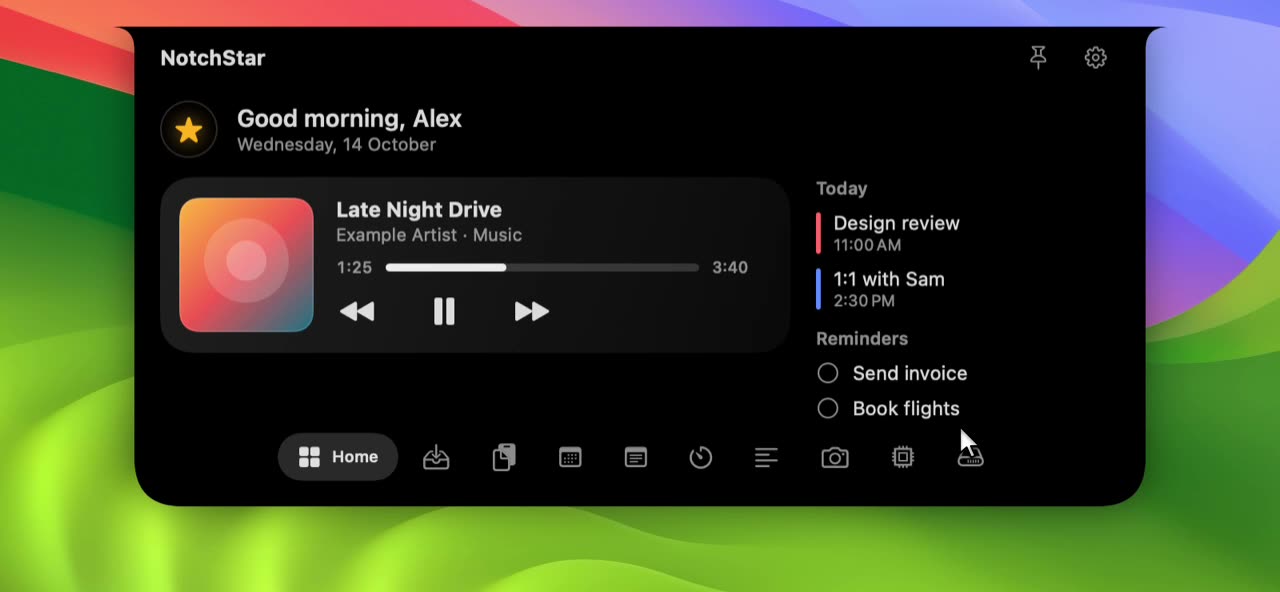
- Clipboard
- Searchable history of text, links, images and files. See Clipboard
- File Shelf
- Park files in the notch and AirDrop them in one drop. See File Shelf
- Now Playing
- Artwork and controls for whatever is playing. See Now Playing
- Calendar & Reminders
- Your next events and due reminders at a glance. See Calendar & Reminders
- Timers
- Timer, stopwatch and Pomodoro with session tracking. See Timers
- Teleprompter
- Scrolling script right under your camera. See Teleprompter
- Mirror
- A quick look at yourself before a call. See Mirror
- System Stats
- CPU, memory, disk, battery and network, live. See System Stats
- Disk
- Free space, big folders, duplicates, app leftovers and cleanup. Everything goes to the Trash. See Disk
- Quick Notes
- A scratchpad that is always one hover away. See Quick Notes
And the details around them.
- Hover or click
- Open the notch on hover or on click, whichever you prefer, in Settings.
- Pin it open
- Keep the notch open while you work, and let go when you are done.
- Drag to open
- Drag a file toward the notch and it opens on the Shelf by itself.
- Your order
- Reorder the tools, or hide the ones you do not use.
- Any Mac
- A small floating pill takes the notch’s place on Macs without one.
- Accessible
- VoiceOver labels on every control, and Reduce Motion support.
Looking for something that is not here? See the roadmap.

Put your notch to work.
Download NotchStar, open your first tool in seconds, and decide after 7 days whether it earns $4.