Timer, stopwatch and Pomodoro in the notch
Focus sessions without another window.
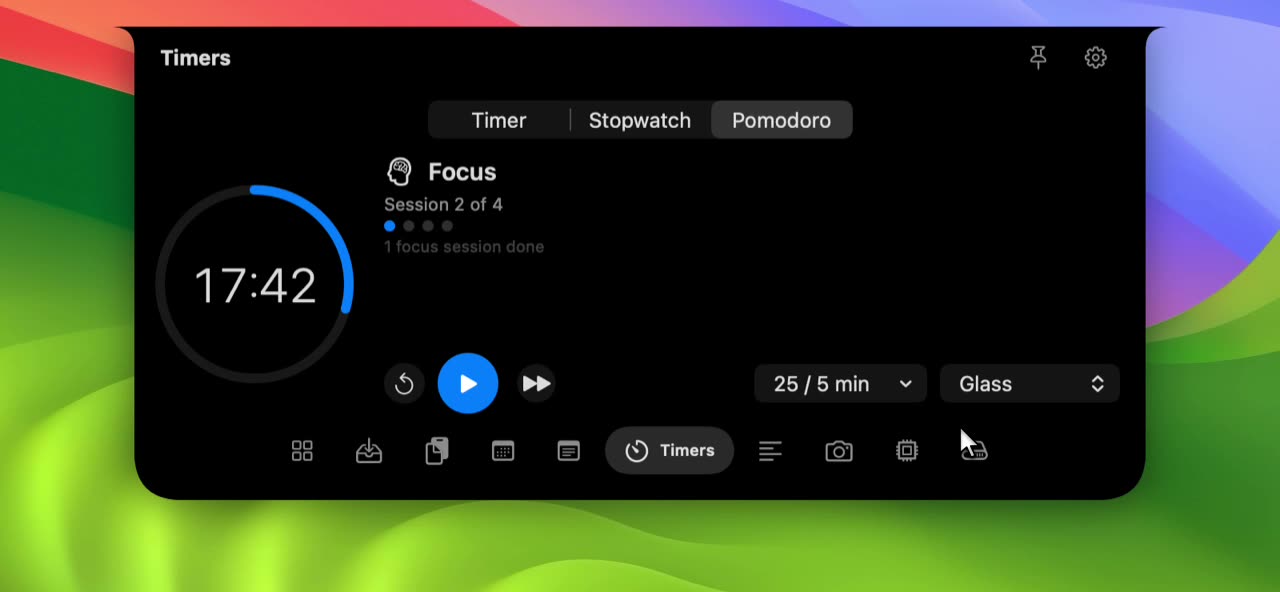
What it does.
- Three modes, one tab
- Switch between Timer, Stopwatch and Pomodoro with a native segmented control. Each keeps its own state.
- Pomodoro that tracks sessions
- Choose 25 and 5, 50 and 10, or 15 and 3 minutes. Dots show your four sessions, and the skip button moves on to the next phase.
- Keeps time while closed
- Timers are based on real clock time, so they stay accurate and finish with a sound even when the notch is closed.
- Pick your sound
- Choose a finish sound from Glass, Ping, Hero, Submarine or Funk, or turn it off.
A timer should be quick to start and impossible to forget. In the notch it is both: open it, press play, and carry on.
Timer
Pick a length from 5 to 60 minutes and press play. Pause and reset are always visible.
Stopwatch
Counts up with a ring that completes every minute, and keeps counting until you stop it.
Pomodoro
The ring fills over each focus block, the label tells you whether you are on a focus or a break phase, and four dots track the sessions in a cycle. Read the full Pomodoro setup guide for tips.
- Timers reset when NotchStar quits.
- The finish alert is a sound; there is no banner notification.
- The Pomodoro presets are fixed at the three pairs above.
Questions about Timer, Stopwatch and Pomodoro for Mac.
Does the timer keep running when the notch is closed?
Yes. It tracks the clock rather than counting ticks, so it is accurate when the notch is closed and plays your chosen sound when it ends.
What is the Pomodoro technique?
Work in focused blocks, usually 25 minutes, separated by short breaks. After four blocks you take a longer rest. See our Pomodoro guide for how to set it up.
Can I turn the sound off?
Yes. Choose No Sound from the sound menu.
Pair it with.
- Teleprompter
- Read naturally, look at the lens. See Teleprompter
- Quick Notes
- Capture it before you lose it. See Quick Notes

Put your notch to work.
Download NotchStar, open your first tool in seconds, and decide after 7 days whether it earns $4.